

Beyond Subtitles: How “Spatial Localization” Will Change VR Training in 2026
In a 360-degree world, text floats, voices come from behind you, and “where” you place words matters as much as “what” they say.
Introduction (The Shift)
You put on a VR headset. You’re in a virtual factory floor. A machine alarms. A voice says: “Check the pressure gauge.”
But where does the voice come from? In a 2D video, it’s central. In VR, it should come from the machine’s direction — to your left.
Now add translation.
That same instruction in Japanese: “圧力計を確認してください” — where does the text appear? Floating in front of you? Attached to the gauge? Following your gaze?
This is Spatial Localization.
It’s not translation + subtitles. It’s translation + 3D space + user movement + sound direction + cultural safety.
At WordPar, we are already localizing immersive training for global workforces. Here’s what we’ve learned — and why 2026 is the year every L&D leader needs to pay attention.
What Is Spatial Localization? (And Why It’s Not Just Subtitles)

Example: In a VR safety module for a global oil rig company:
- English: Text appears next to the valve
- Spanish: Text appears on the valve (different reading distance)
- German: Longer text requires repositioning so it doesn’t block the view
Cost of getting it wrong: Users miss instructions. Motion sickness increases (floating text that doesn’t move with the head). Training fails.
The 3 Pillars of Spatial Localization (WordPar Framework)
Pillar 1: Spatial Text Anchoring
Text must attach to objects, not screens.
Challenge: German and Dutch text expands by 30-40%. In a 2D video, that’s a line break. In VR, it can cover the entire object.
WordPar solution: We work with your 3D environment file (not just a script). We know:
- Available text surface area
- Viewing distance
- User head position
Then we adapt translation length to fit the space — not the other way around.
Pillar 2: Directional Voiceover (3D Audio)
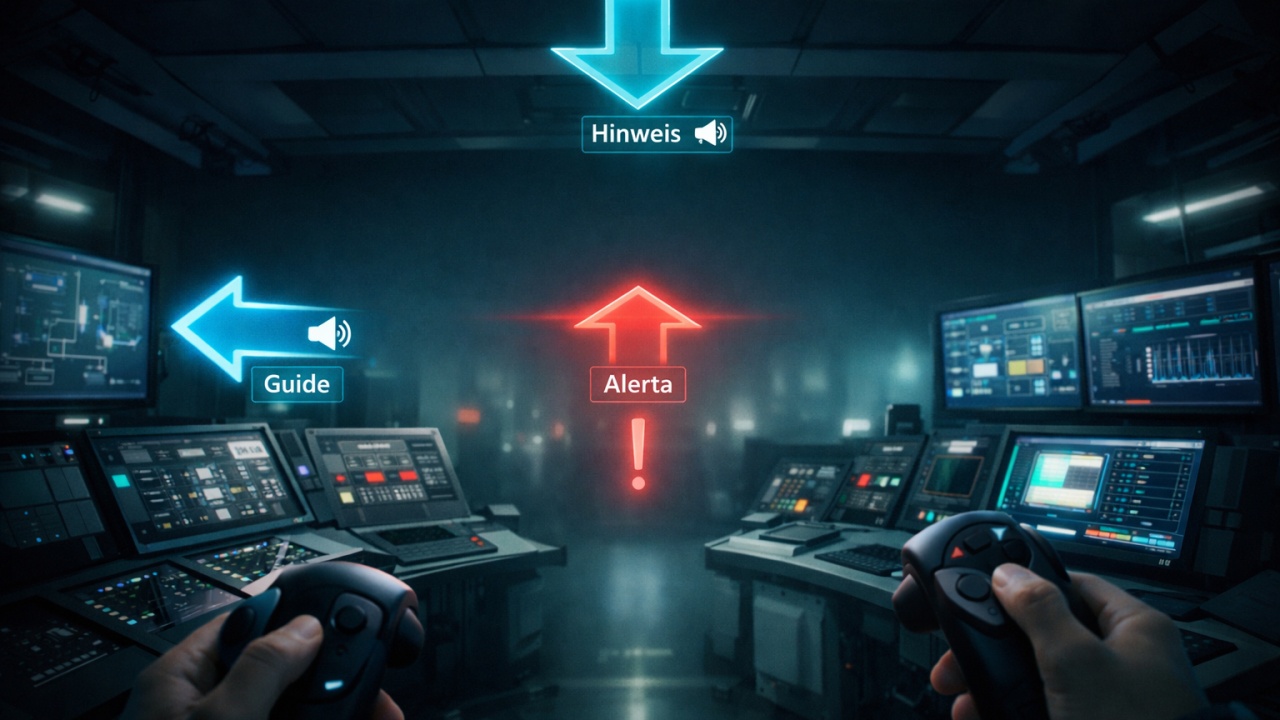
A warning from behind you feels urgent. A instruction from your left feels like a guide. Same words, different meaning.
WordPar solution: We record directional voiceover — separate tracks for:
- Left channel (guide)
- Right channel (secondary info)
- Rear channel (alerts)
- Overhead (announcements)
Then we localize each direction’s content separately. A warning in English might be directional from behind. In Japanese culture, direct rear audio can feel aggressive — so we move it to the side.
Pillar 3: Trigger-Based Localization
In traditional video, timing is fixed. In VR, the user controls time.
Challenge: A Spanish user might linger on a machine diagram. The English audio keeps playing. Mismatch.
WordPar solution: We localize triggers, not timelines:
- Gaze trigger (user looks at object → localized text/audio appears)
- Proximity trigger (user walks near → localized instruction plays)
- Action trigger (user pulls lever → localized confirmation)
Each trigger has its own translated content, independent of the main timeline.
Real Example: WordPar Localizes a VR Fire Drill (Anonymized)
Client: Global manufacturing company, 50,000 employees, 12 languages
Challenge: Fire drill simulation must work in all languages — but text length, audio direction, and trigger timing vary by culture.
English version: Text: “EMERGENCY EXIT →” (short, fits above door) Audio: “Exit is to your right” (right channel)
German version: Text: “NOTAUSGANG →” (fits — same length) Audio: “Der Ausgang befindet sich rechts von Ihnen” (longer — required slowing the trigger timing)
Japanese version: Text: “非常口 →” (fits) Audio: “出口は右側です” (shorter — required different pacing)
Arabic version: Text: “مخرج الطوارئ ←” (right-to-left — arrow direction flipped in the 3D environment)
Result:
✅ All 12 languages launched simultaneously
✅ Zero motion sickness reports
✅ 94% certification rate (compared to 67% with traditional localization)
The 2026 Trend: Why Now?
According to recent industry reports:
- Corporate VR training market is growing at 35% CAGR
- 53% of companies plan to deploy immersive learning by 2027
- But only 12% have a localization strategy for VR
The gap is massive. Most localization vendors cannot work with 3D files, directional audio, or trigger-based timing.
WordPar can. We have built workflows for:
- Unity and Unreal Engine files
- 360-degree video with spatial audio tracks
- Dynamic text rendering (text that resizes and repositions per language).
What WordPar Offers (Explicitly)
✅ Spatial text anchoring — translation that fits your 3D environment, not just your script
✅ Directional voiceover recording — separate left/right/rear/overhead tracks per language
✅ Trigger-based localization — gaze, proximity, and action triggers translated independently
✅ Unity/Unreal workflow integration — we work directly with your dev files
✅ RTL and text expansion handling — Arabic and German without breaking immersion
We do not say “VR localization is just subtitles in a headset.” We say: “Give us your 3D environment. We’ll make every language feel native to that space.”